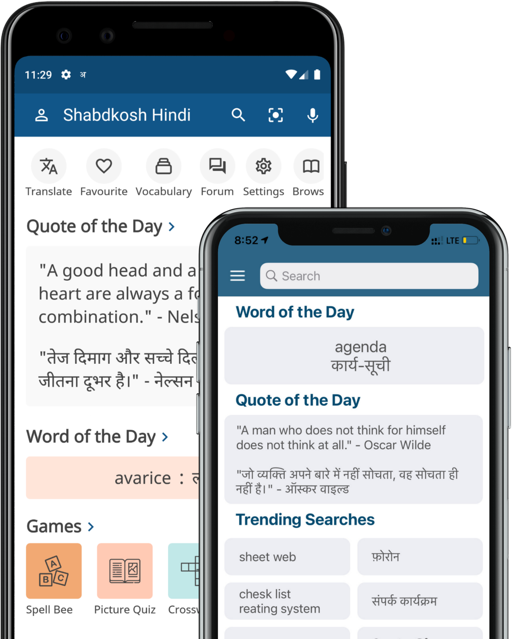
Install SHABDKOSH IE Accelerator
One of our enthusiastic users has developed a Shabdkosh.com search Accelerator for Internet Explorer. With this Accelerator, you can select a word and search in Shabdkosh directly from another web site. Read more for simple installation process.
What is Internet Explorer Accelerator?
Internet Explorer Accelerators are a form of selection-based search which allow a user to invoke an online service from any other page using only the mouse introduced by Microsoft in Internet Explorer 8, 9 and 10.
System Requirements
Internet Explorer 8, Internet Explorer 9, or Internet Explorer 10 is required to install this Search Accelerator.
How it works?
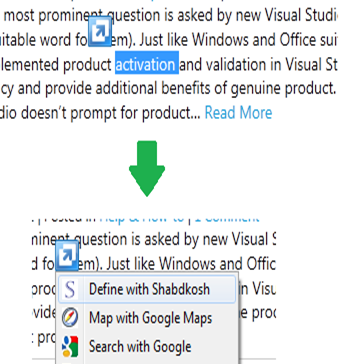
When we select textual information on a web page, a menu comes us with “Define with Shabdkosh” as an option. Choosing this option allows to search selected text or word within Shabdkosh.com in a single click.
Installation
Please click the button below (the click will work only in Internet Explorer 8, 9 or 10 browsers).
The button looks like this button in the image below.

Usage
Select any word in a web page. A blue icon appears. Click on the blue icon and it will have an “Define with Shabdkosh” option. Select that option and it will open Shabdkosh.com showing results with the selected word.
Please let us know if you have difficulty using it. Thank you!
Credits
This IE Search Accelerator is brought to you by Ramesh Kumar of Windows Valley