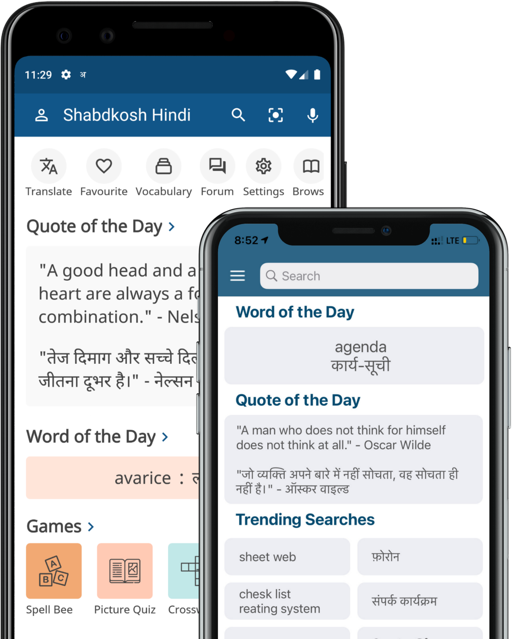
How to get Hindi to work on computer?
The Hindi text on this site is generated in Unicode (UTF
-8). If you can read the following sentence, then your computer/operating system is unicode compliant and you should not have any problem using this site.
हिन्दी भारत की राष्ट्र भाषा है।
If you cannot view the Hindi sentence above, the following suggestions may be helpful.
Windows 2000/XP
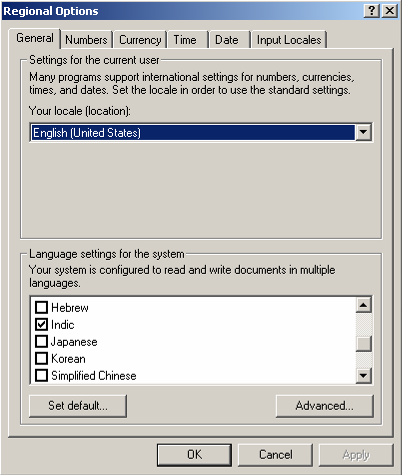
If you have Windows 2000 or a more modern version of Windows, the support for Unicode is built in. If you can not see the Hindi sentence above, you should go to Start > Settings > Control Panel > Regional Options. In the General tab, set all the languages you may want to display. Depending on which languages you set, you will be able to process multilingual data through all your applications, including your browser. This adds fonts as well as system support for these languages. The Arial Unicode MS font works well with this site. The picture below show the windows through which Input Locales and Language Settings can be configured in Windows 2000.
Having Internet Explorer will give you less problems with Windows operating systems. However, Mozilla also works fine with Unicode encoded multilingual web pages.
Windows 98 and older
If you have Windows 98 or an older version, it might be useful to visit the Unicode Consortium’s help pages on display problems. It seems that users with less technical background may find it easier to just upgrade their operating systems and web-browsers though it may not be the cheapest alternative.
Mac
In MAC OS X and later versions have Unicode support is built in and there should be no problems. For MAC OS 9.x, try using the Installation CD to install language packs.
UNIX
With the XFree86 version 4.0 and above, Unicode fonts should be already installed. On a typical system running RedHat 8.0 and above with the web browser version supplied with the OS, Unicode fonts should work without any problems. Please see Unicode Display problems page for details.